Automation of Processor Production
There are many ways of automating processors, and this is one of them.
This general layout can be done with any type of item logistics pipe or conduit or duct or whatever the mod calls it, as long as you can filter it.
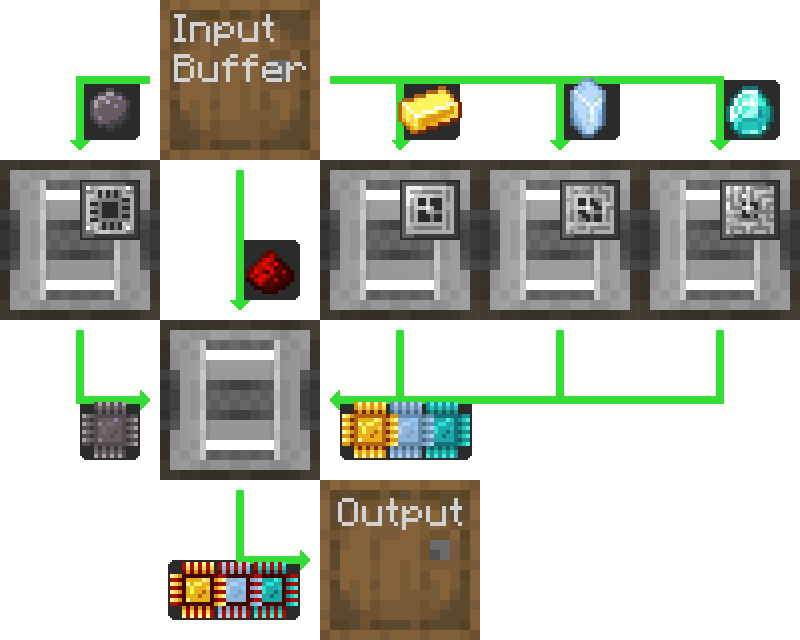
Here is detailed how to do it with just AE2, using "pipe" subnets.
Note that since this uses a  МЭ поставщик шаблонов, it is meant to integrate into your autocrafting
setup. If you just want to automate a processors standalone, replace the pattern provider with another barrel, and directly put the ingredients in the upper barrel.
МЭ поставщик шаблонов, it is meant to integrate into your autocrafting
setup. If you just want to automate a processors standalone, replace the pattern provider with another barrel, and directly put the ingredients in the upper barrel.
This happens to be backwards-compatible
with previous AE2 versions, because even if the  Вырезательs are sided, the pipe subnets still insert to and
extract from the correct faces.
Вырезательs are sided, the pipe subnets still insert to and
extract from the correct faces.
Configurations
-
The
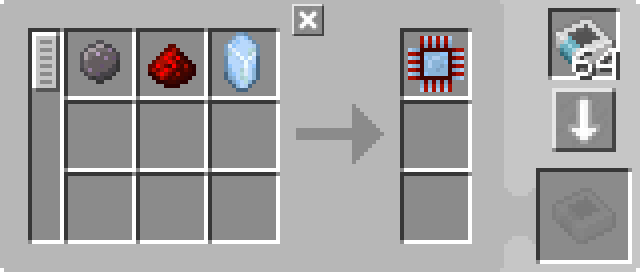
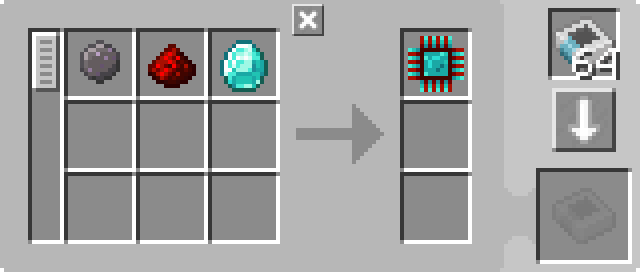
МЭ поставщик шаблонов (1) is in its default configuration, with the relevant  Шаблон обработкиs.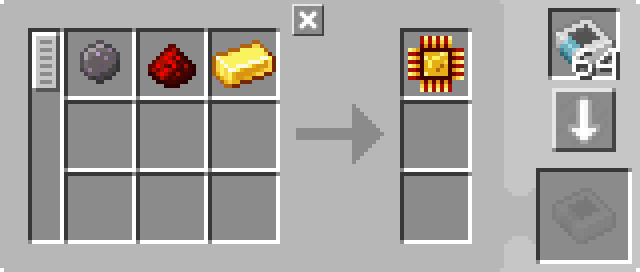
-
The
 МЭ шина храненияses (2, 17, 18, 20) are in their default configurations.
 -
The
 МЭ шина экспортаses (3-7) are filtered to the relevant ingredient. They have 2
  Карта ускоренияs.


-
The
 Мэ шина импортаses (13-16, 19) are in their default configurations. They have 2 Карта ускоренияs.
 -
The
Вырезательs are in their default configurations. They have the relevant press,
and 4 Карта ускоренияs.


How It Works
- The МЭ поставщик шаблонов pushes the ingredients into the barrel.
- The first pipe subnet (orange) pulls the silicon, redstone dust, and the relevant processor's ingredient
(Gold Ingot, Certus Quartz Crystal, or Diamond) out of the barrel and puts them in the relevant Вырезатель.
- The first four Вырезательs make the
 Печатный кремний, and the
  Печатная логическая схема,
 Печатная вычислительная схема, or
  Печатная инженерная схема.
 - The second and third pipe subnets (green) take the printed circuits out of the first four Вырезательs
and put them in the fifth, final assembly Вырезатель.
- The fifth Вырезатель assembles the processor.
- The fourth pipe subnet (purple) puts the prcoessor in the pattern provider, returning it to the main network.