Binding to an inventory allows you to interact with that inventory to extract/insert items. First, enable 'bind inventory' mode in the settings menu of your gadget. Then shift-right click on a chest or other inventory.
A blue box around the inventory will note your success. Shift-Right click a non inventory block (like grass) to disconnect.
Bind Inventory
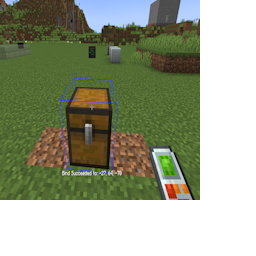
Binding to a Chest!
You can also bind to an Applied Energistics 2 System by connecting to the wireless access point of that system.
The gadget will have unlimited range, so no need to worry about range upgrades!
Bind Inventory
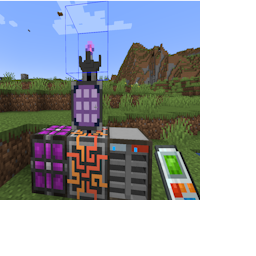
Binding to AE2!