
The cut paste gadget makes moving structures a breeze, and works just like the Copy Paste Gadget! To start, ensure you're in 'cut' mode in the settings menu.
Right click one corner of a structure,and then shift-right click an opposing corner. If done correctly, a red outline will surround your structure.
Cutting
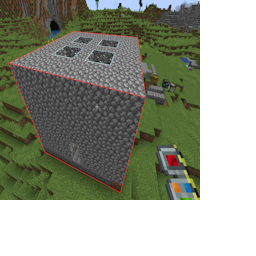
Cutting a structure
The structure will not be removed until you click the 'cut' button in the settings menu.
Switch the gadget to 'paste' mode, and you'll see a ghostly preview of the structure you've copied.
To place the structure in world, simply right click! No items are necessary for this, as its using the blocks you removed earlier.
Paste Preview
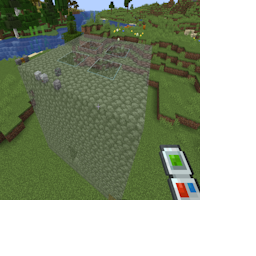
Previewing a paste
You can only have one structure stored on the gadget at a time. Placing it in the world will erased the stored information on the gadget.
Be careful when pasting the structure, you only get one chance, exchange mode is recommended!
If you attempt to cut a new area while data already exists, you'll be prompted to confirm. If you do this, the first set of data will be lost forever!
All block-entity data will be moved along with the structure, including the contents of chests and block configurations.
Much like the Copy Paste Gadget, you can modify the cut or paste positions with the appropriate settings menu option. See that chapter for details!