
This powerful module is used to connect inventories to a Logistics System/$, effectively allowing controlled item and fluid transfer via pressure tubes.
The inventory or fluid tank that the module points at must be fitted with a Logistics Frame/$.
The Logistics Module does not accept an Module Expansion Card/$.
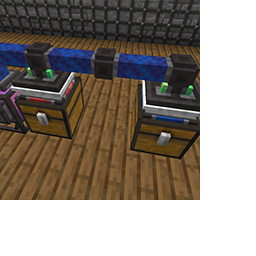
Two Logistics Modules connecting chests with Passive Provider/$ and Requester/$ Frames.
A network of Logistics Modules is defined by all the modules connected to each other by Pressure Tubes/$; note that any air-using machines do not/$ form part of the network.
You can select a channel via the module GUI, or by right-clicking with any dye/$; only Logistics Modules of the same color will communicate with each other, effectively giving you 16 channels/$ on each network.
Logistics Modules need pressure/$; 3 bar is required to let the modules operate. The air used is a multiplication of distance, amount transported and a constant. This means that it requires more air to transport a full stack of items, and also more to transport it a long way. The air is used at the receiving/$ Logistics Module, since the air is flowing towards that module.
Indicator lights are fitted to signify the status:
• Red/$: Not enough pressure, apply at least 3 bar.
• Orange/$: More than 3 bar, but not enough pressure to transport the items/fluids this distance.
• Green/$: Enough pressure, on standby.
• Blue (pulse)/$: Items/fluids are being transported.


Crafting a Logistics Module