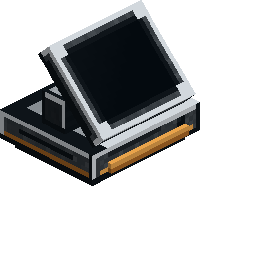
The Occult Kitchen Station is the one block you need to bridge Cooking for Blockheads with Occultism.
Placed in your kitchen, it hands your whole storage network to the Cooking Table: every stored item becomes an ingredient.
Craft it, link it, and drop it into your kitchen. Here's how.


Craft the Occult Kitchen Station as shown.
Straight out of the grid it isn't tied to anything yet, the next step links it to your Dimensional Storage Actuator so it knows where to pull from.
Linking It
You link the Station to a Dimensional Storage Actuator, the heart of an Occultism storage system.
Sneak-right-click the Actuator with the Station in hand and it comes back linked.
The link is saved on the block itself, so the Station keeps reaching the network from any distance, even another dimension, as long as the Actuator's chunk stays loaded.
Мультиблок «In The Kitchen» — схема постройки видна в книге в игре.
An example kitchen layout. Tap the eye to preview it in the world.
Reading the Screen
The Station's screen tells you its status at a glance.
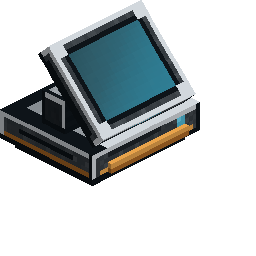
A teal glow means it's online, the Cooking Table can now cook with everything in your storage network.
A red-amber screen means it's linked to an Actuator but can't reach it right now, usually because the Actuator's chunk isn't loaded.
A dark screen means it isn't linked at all, sneak-right-click a Dimensional Storage Actuator to link it.
Connected
Linked, Offline
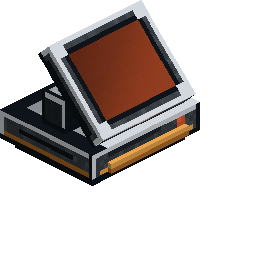
Disconnected