 Режим цилиндраmffs:cylinder_mode
By default, the Cylinder Mode sets the Projector to generate a force field in the shape of a cylinder that is exactly 1 block thick. Each Scale Module increases the size of the force field by 1 block in the target direction.


Crafting the Cylinder Mode.
Field Adjustment
Placing a Scale Module into an item slot marked by a directional arrow will scale the field by 1 block in only that direction. For example, to increase the height of a force field by 1 block; add a Scale Module into an item slot marked by a directional arrow pointing towards the top-left or top-right of the GUI screen.
Projection
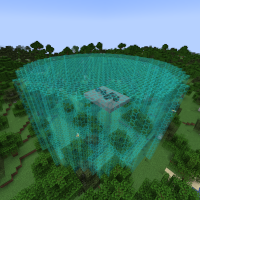
A scaled Cylinder Mode field being projected.